NAS, Business Storage & Backup Solutions in Edinburgh
Properly designed storage — not just a hard drive in a cupboard.
From a small NAS for shared files to a complete storage and backup strategy covering Microsoft 365, local servers and off-site recovery, I design systems around how much data you have, how staff need to access it, and what has to survive if hardware fails.
Synology and other business NAS platforms installed and supported across Edinburgh and surrounding areas.
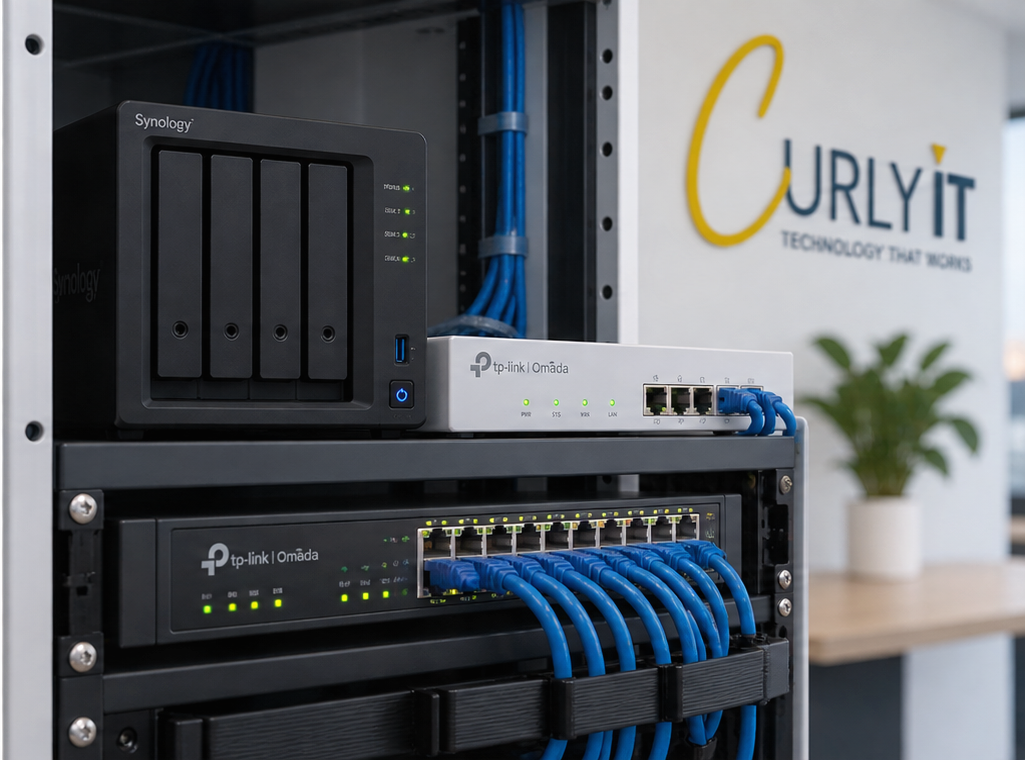
Business Storage That's Actually Designed, Not Just Bought
Synology is the platform I most commonly recommend for small business NAS installations, because it's reliable and manageable without needing an in-house IT team. I'm not tied to one manufacturer, though — the right hardware depends on your data, your budget and what you're trying to achieve.
More Data Than a Laptop or a Cloud Plan Was Ever Meant to Hold
Most businesses end up with data scattered across laptops, USB drives, an old file server that's slowly failing, and a cloud storage plan that keeps needing upgraded. None of it is really organised, and nobody's entirely sure what's actually backed up.
This page covers how I help businesses design a proper storage and backup setup — whether that's a NAS, Microsoft 365, off-site backup, or a combination that suits how the business actually works.
This is most relevant if your business:
- ✓Handles large files — drawings, photos, video, CAD or project archives
- ✓Relies on USB or external drives as its main storage
- ✓Still runs an ageing on-premise file server
- ✓Has growing Microsoft 365 or cloud storage costs
- ✓Isn't confident its backups would actually work if needed
Storage & Backup Services
Business NAS Setup
Hardware selection, disk and storage planning, RAID configuration, storage pools, shared folders and permissions — set up and integrated properly with your network.
Includes: UPS integration where appropriate, so the system can shut down safely in a power cut.
Private Cloud & Remote Access
Secure remote access to business-controlled storage — staff can reach shared files from outside the office without your data sitting on someone else's platform by default.
Microsoft 365 Backup
Microsoft 365 is built for collaboration, not long-term backup. An independent backup copy of OneDrive, SharePoint and Exchange email data can be kept separately.
Teams data can be included where supported by the backup platform used.
PC & Server Backup
Endpoint backup for laptops and desktops, and backup for any local server, so a hardware failure or accidental deletion doesn't mean starting again from nothing.
Data Migration
Moving data from an old NAS, an ageing Windows file server, USB/external drives, or scattered PC folders across to a properly organised system, handled carefully.
Cloud-to-local and hybrid migrations can also be planned where that fits the business.
Snapshots & Off-Site Backup
Snapshots allow quick recovery from an accidental deletion or unwanted change without a full restore — useful day-to-day, but not a substitute for backup.
An independent off-site copy is what protects important data if the NAS itself, or the building it's in, is lost.
Microsoft 365, NAS and Off-Site Backup Can Work Together
Not every business needs all three. I design the setup around what you actually have and need.
Microsoft 365 / Cloud
Live documents, day-to-day collaboration and remote working.
NAS / Local Storage
Shared files, large datasets, archives, central storage and/or an independent local backup copy.
Off-Site Backup
An independent copy for disaster recovery, kept away from the NAS and away from the building.
This isn't a mandatory template. Some businesses just need a NAS. Others need Microsoft 365 backed up independently. Some benefit from all three working together — I'll recommend what actually fits.
RAID Is Not Backup
This catches a lot of businesses out, so it's worth being direct about it. RAID can protect against certain disk failures inside the NAS — it does not necessarily protect against:
A properly designed business backup strategy usually needs more than one copy of your data, including a copy that's independent of the NAS itself. I'll talk you through what that looks like for your business, rather than assuming RAID has it covered.
Who This Tends to Matter Most For
Architects & Designers
Large drawing files, project archives and version history that need organised, reliable storage.
Photography & Video Production
Large media libraries that outgrow cloud storage quickly, needing fast local access and a real backup copy.
Construction & Engineering
Plans, project files and historical records that need to stay accessible and protected across a team.
Property Companies & Estate Agents
Photos, documents and records for large numbers of properties, organised and backed up properly.
Offices with Large Shared Folders
Businesses that have outgrown ad-hoc file sharing and need one organised, permissioned place for everything.
Ageing File Servers & USB Drives
Businesses relying on an old on-premise server or a collection of USB drives as their main storage strategy.
Home users with large photo or video libraries, or who simply want their computer properly backed up, are also something I can help with — get in touch even if you're not a business.
How a Storage & Backup Project Runs
Storage Review
Understand your current data, devices, cloud usage, file sizes and backup requirements.
Design
Recommend appropriate capacity, NAS and drives, network requirements and backup strategy.
Installation
Install and configure the hardware, storage, permissions, backups and remote access.
Data Migration
Move existing data across carefully, where migration is part of the project.
Testing
Check access, permissions, backup jobs and recovery before the job is considered finished.
Documentation & Management
You'll get documentation of how it's set up, with ongoing monitoring and support available if you want it.
Ongoing NAS & Backup Management
A NAS and backup system that's installed and never looked at again can quietly stop working without anyone noticing — a full disk, a failed backup job, or a drive that's started reporting errors. Ongoing management is optional, but it's how problems get caught before they turn into data loss.
See the dedicated Managed Backup service →Can include:
- ✓Drive health monitoring
- ✓Storage capacity monitoring
- ✓Backup job monitoring
- ✓Failed-backup alerts
- ✓System updates
- ✓Snapshot checks
- ✓User & access changes
- ✓Remote support
- ✓Periodic restore testing
- ✓Storage & capacity reviews
Storage Designed Around Your Business, Not a Generic Package
Curly IT works with small businesses across Edinburgh that have outgrown ad-hoc storage but don't need, or want, a large corporate IT provider to sort it out.
Designed for Your Data
Capacity, platform and backup strategy chosen around how much data you have and how it's used, not a one-size package.
One Person From Start to Finish
You deal directly with Rob from the initial conversation through installation, migration and support.
Proper Business Platforms
Business-grade NAS platforms such as Synology, configured properly — not a consumer drive plugged into a router.
Explained Clearly
RAID, snapshots and backup explained in plain terms, so you understand what's actually protecting your data.
Business NAS & Storage in Edinburgh
Curly IT designs and installs business NAS, storage and backup systems across Edinburgh and surrounding areas — from a single NAS for shared files to a combined Microsoft 365, local storage and off-site backup setup for businesses with larger or more demanding data requirements.
Based in Edinburgh and available across the city and surrounding areas.
NAS, Storage & Backup FAQs
We already use Microsoft 365 — do we still need a NAS?
Is RAID the same as a backup?
Do you only work with Synology?
Can you move data from our old file server or USB drives?
Can staff access the NAS remotely?
What happens if a hard drive in the NAS fails?
Do you provide ongoing monitoring or is it install-and-leave?
Can you set this up for home use too?
Time to Get Your Business Data Properly Organised?
Whether it's a single NAS for shared files, protecting Microsoft 365, or a complete storage and backup strategy, tell me what you're working with and I'll recommend what actually makes sense.
Business NAS, storage & backup across Edinburgh and surrounding areas
Business NAS · Synology · Private Cloud · Microsoft 365 Backup · PC & Server Backup · Off-Site Backup